Payment Gateway Webhooks Explained: Events, Status Updates and Common Errors
Introduction
Payment gateways process transactions, but your website, CRM, or order management system also needs timely updates to confirm payments and manage failures. Payment gateway webhooks make this possible by sending automatic notifications when payment-related events occur.
For ecommerce businesses, fintech companies, and digital platforms, webhooks help automate payment tracking, reduce manual work, and improve customer experiences.
This guide explains how webhooks work, common payment events, and how to troubleshoot integration errors.
What Are Payment Gateway Webhooks?
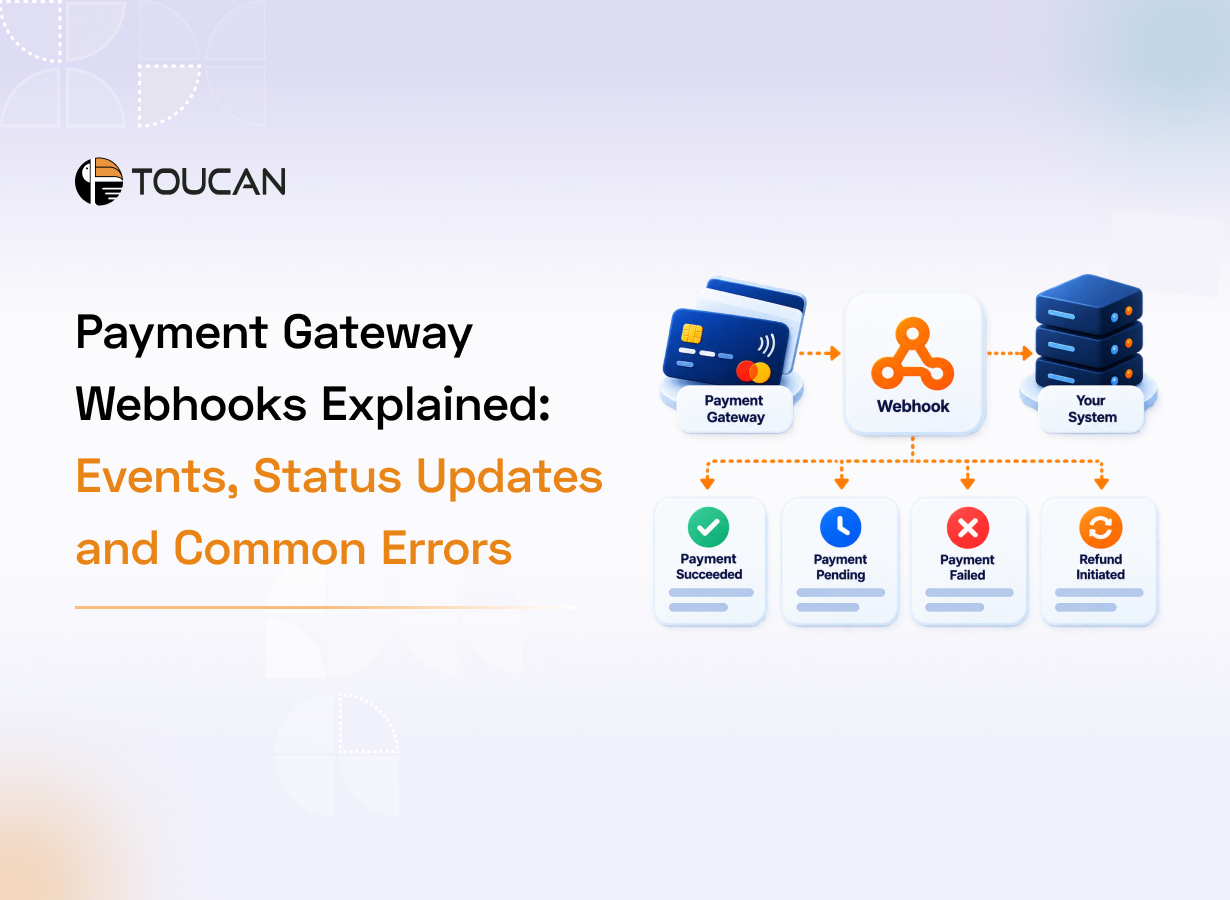
Payment gateway webhooks are automated notifications sent by a payment platform to a specified URL in your application when an event occurs.
For example, when a customer completes a payment, the gateway sends a notification to your system. Your application can then update the order status, generate a receipt, or notify the customer.
Unlike APIs that typically require an application to request information, webhooks send event notifications when relevant changes occur.
How Do Payment Gateway Webhooks Work?
A typical webhook workflow involves five steps:
1. Payment initiation: A customer starts a transaction.
2. Payment processing: The gateway processes the payment.
3. Event generation: The gateway generates an event when the payment status changes.
4. Webhook delivery: The gateway sends an HTTP request to your configured endpoint.
5. System update: Your application validates the notification and updates the relevant records.
For example, an ecommerce store can confirm an order after verifying payment success, while an educational institution can update a student’s fee status automatically.
Common Payment Gateway Webhook Events
The events available depend on the payment provider, but common examples include:
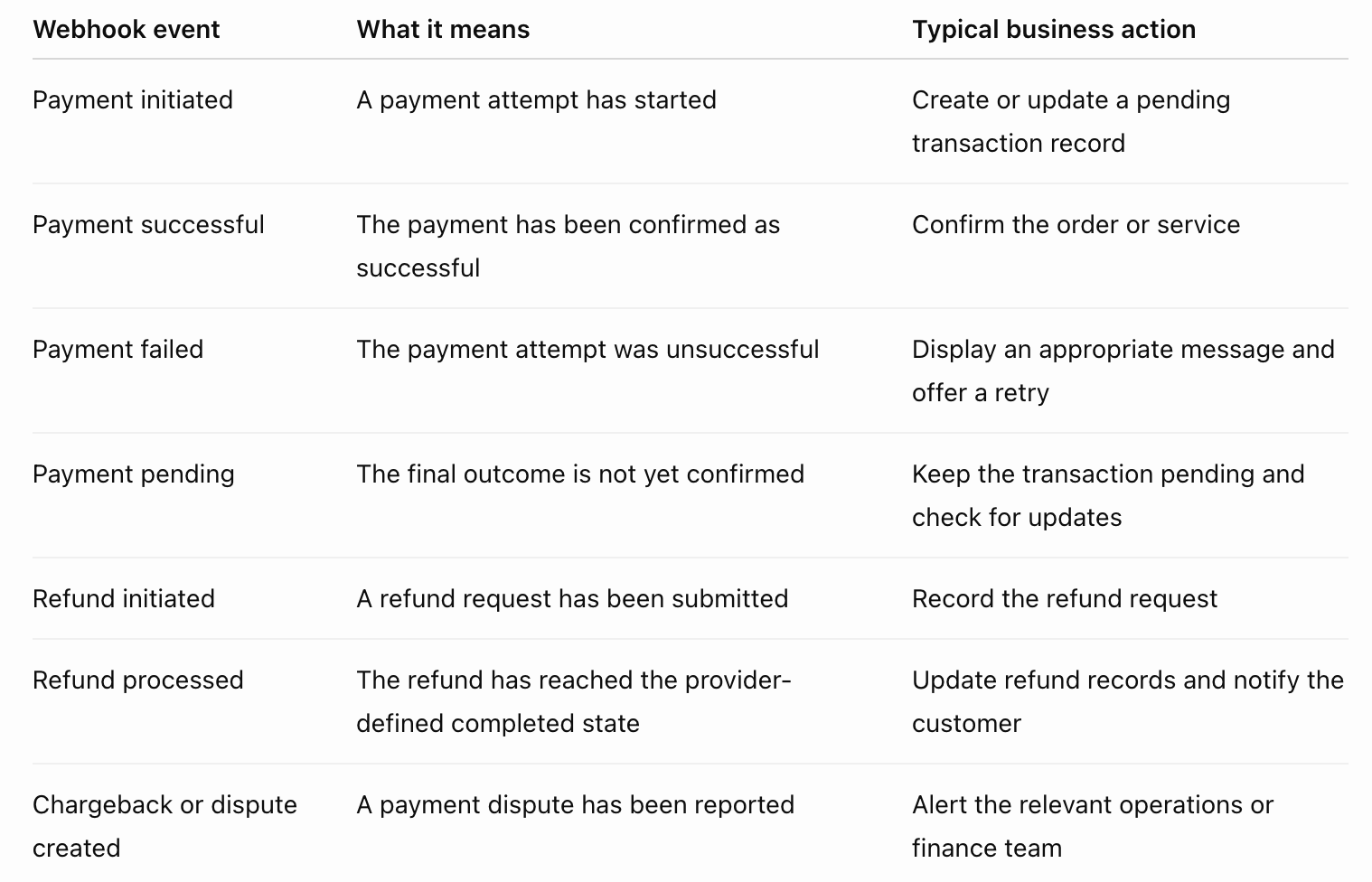
Each event should trigger the appropriate action. A payment initiation notification does not confirm that money has been received, and a refund request does not necessarily mean the refund is complete.
Understanding Payment Status Updates
Accurate payment status updates help businesses maintain consistent records across their systems.
1. Pending: The payment is awaiting confirmation. Keep the transaction pending until its outcome is verified.
2. Successful: The payment has reached the provider-defined successful state. Your system can proceed with the relevant order or service.
3. Failed: The transaction did not complete successfully. Record the failure and offer a retry where appropriate.
4. Refund processing: The refund is moving through its own lifecycle. Track it separately from the original payment.
Payment status names and transitions vary by provider. Always follow the provider’s official API and webhook documentation.
Common Payment Gateway Webhook Errors
Webhook integration issues can prevent applications from receiving or processing payment updates correctly.
1. Webhook Endpoint Errors
If your endpoint is unavailable or returns an unsuccessful HTTP response, the provider may fail to deliver the notification.
How to fix it: Check the endpoint URL, server logs, network restrictions, and HTTP responses. Monitor repeated delivery failures.
2. Delayed Notifications
Network issues, provider-side delays, or retry attempts can delay webhook delivery.
How to fix it: Review delivery logs and timestamps. For important transactions, verify the latest status through the provider’s API or dashboard.
3. Duplicate Webhook Events
Providers may deliver the same event more than once. Processing every delivery as a new transaction can create duplicate orders or notifications.
How to fix it: Implement idempotency by recording processed event IDs or using appropriate transaction identifiers to prevent duplicate actions.
4. Invalid Webhook Signatures
Signature verification may fail because of an incorrect secret, modified request body, or incorrect verification logic.
How to fix it: Follow the provider’s verification process, protect signing secrets, and validate requests before processing them. Never disable security checks simply to bypass errors.
5. Incorrect Status Mapping
Your application may receive a valid webhook but map it to the wrong internal payment status.
How to fix it: Define clear mappings between provider events and internal transaction states. Test successful, failed, pending, and refund scenarios before launch.
6. Events Arriving Out of Order
An older notification may arrive after a newer status update, potentially overwriting the latest transaction state.
How to fix it: Check event timestamps and transaction states before applying updates. Verify the latest status with the provider when the event sequence is unclear.
Best Practices for Reliable Webhook Integration
Follow these practices to improve webhook reliability and security:
1. Validate requests: Verify webhook signatures or the provider’s authentication mechanism.
2. Prevent duplicate processing: Ensure repeated events do not trigger the same business action multiple times.
3. Respond promptly: Acknowledge valid requests as required and process lengthy tasks asynchronously.
4. Implement recovery mechanisms: Understand retry policies and investigate events that remain unprocessed.
5. Maintain logs: Record event IDs, transaction references, timestamps, and processing outcomes without unnecessarily storing sensitive payment data.
6. Reconcile transactions: Compare internal records with provider records to identify missing updates and discrepancies.
7. Test before launch: Use a sandbox to test successful payments, failures, refunds, duplicate events, and endpoint errors.
How Webhooks Improve Payment Operations
When implemented correctly, webhooks help businesses automate important workflows.
1. Faster order processing: Confirm orders after verifying payment success.
2. Better customer communication: Send timely payment confirmations and relevant updates.
3. Reduced manual effort: Automatically update records across connected systems.
4. Improved reconciliation: Identify missing updates and transaction discrepancies.
5. Greater visibility: Share payment events with connected CRMs, ERPs, and other applications.
These benefits depend on secure integrations, accurate event handling, and effective monitoring.
Conclusion
Payment gateway webhooks help businesses automate payment updates and maintain consistent transaction records. Secure validation, duplicate-event protection, accurate status mapping, and regular reconciliation are essential for reliable integration.
Looking to simplify payment integration and improve visibility across payment operations? Explore how Toucan Payments can help connect your payment workflows.
Frequently Asked Questions
Q1: What is a payment gateway webhook?
A: It is an automated HTTP notification sent to an application’s endpoint when a payment-related event occurs.
Q2: What is the difference between an API and a webhook?
A: An API typically lets an application request information, while a webhook sends an event notification when a relevant change occurs.
Q3: Why are webhook events delivered more than once?
A: Providers may retry delivery after timeouts or unsuccessful responses. Applications should handle duplicate events safely.
Q4: How do I troubleshoot a failed webhook?
A: Check endpoint availability, delivery logs, HTTP responses, signature verification, and application errors. Verify the payment status before taking corrective action.
Q5: Are webhooks necessary for every payment integration?
A: Not every integration requires webhooks, but they are useful when businesses need timely payment updates and automated workflows.